
Change Mixing Valve for Blue Ocean SPS8727 (or similar model)
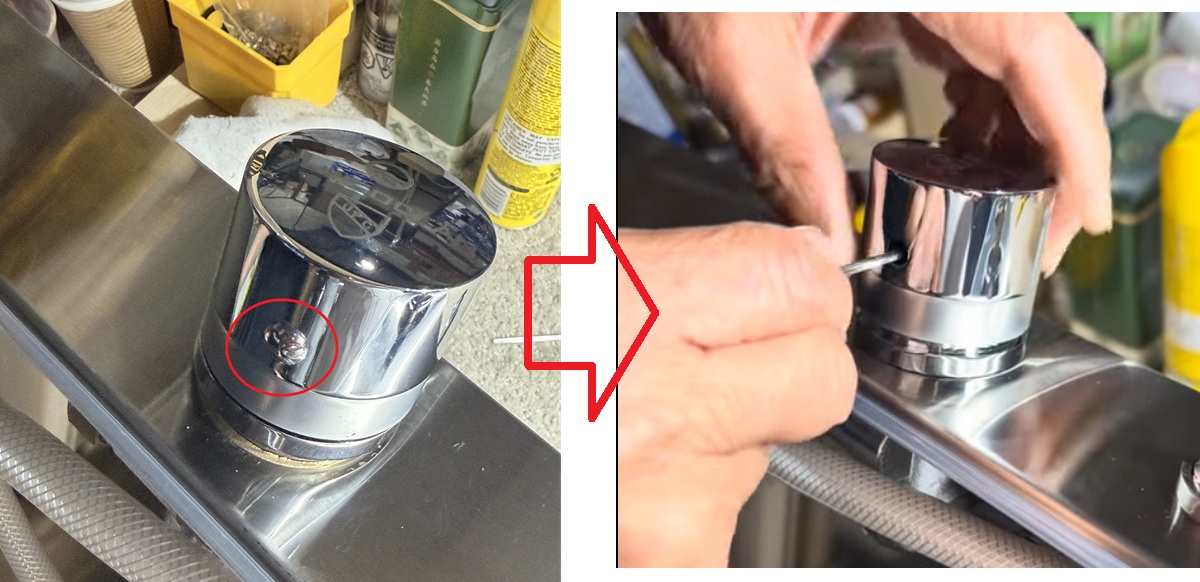
- Remove the knob
- Find the Cap: On the side of the chrome knob, look for the small, circular index cover (indicated by the red circle in the left image). This is usually a small plastic or metal plug that hides the internal screw.
- Pop it Off: Use a fingernail, a small flathead screwdriver, or a utility knife blade to gently pry this cover out. Set it aside safely so it doesn’t get lost
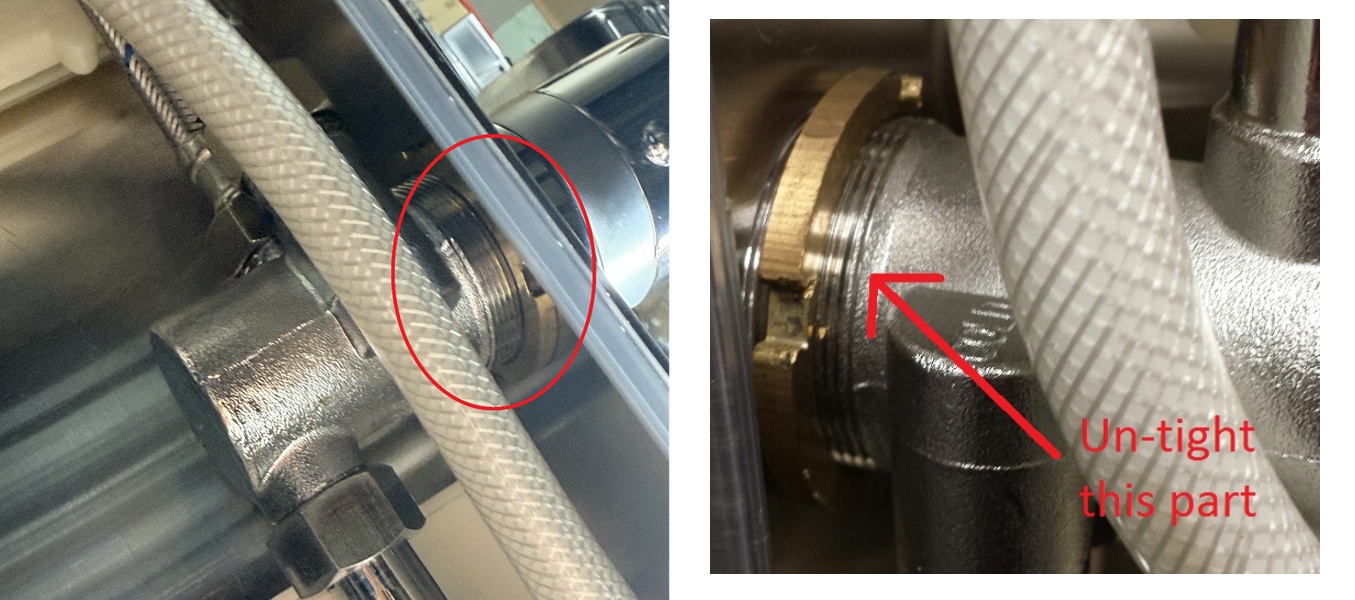
2. Go to the back of the shower panel, locate the section behind the knob, and loosen the locking nut (as indicated by the arrow in the picture).
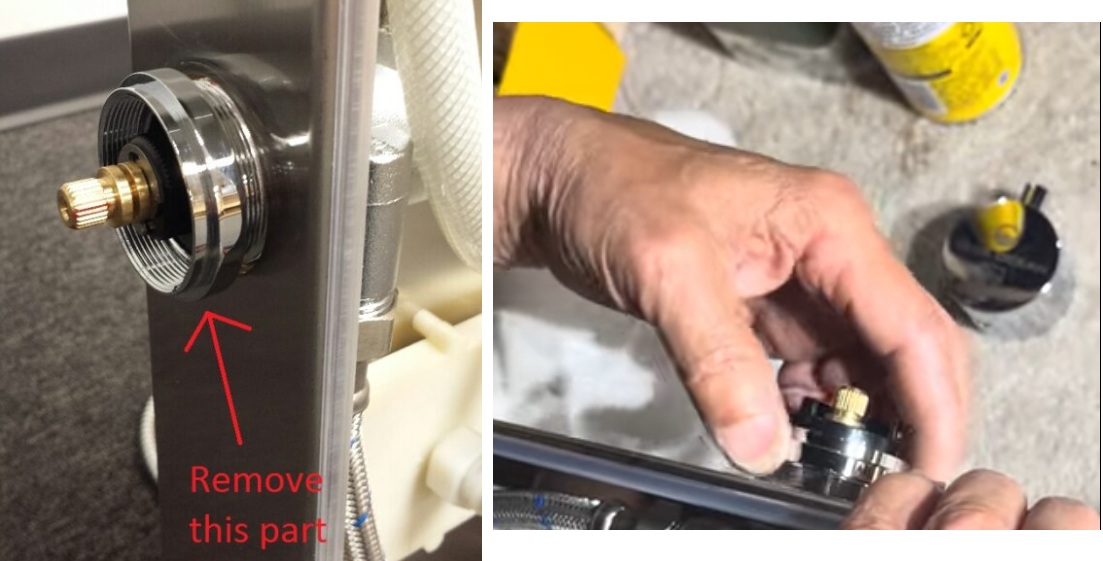
3. Return to the front of the shower panel and remove the trim ring
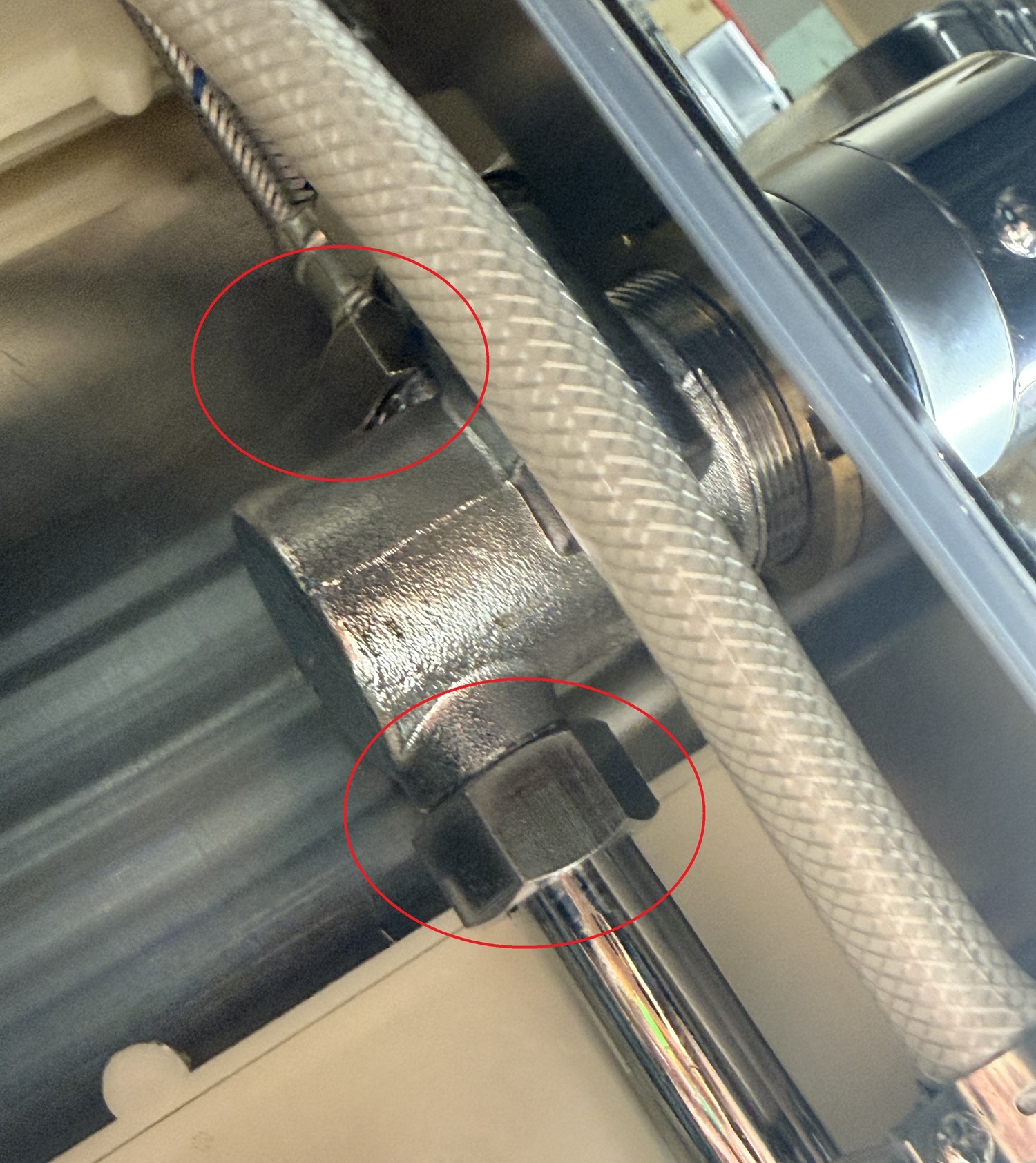
4. disconnect the hoses /connector from the valve.
5. Remove and Replace the Valve
- Remove the Old Valve: Pull the old valve cartridge straight out of the housing. If it is stuck, gently use a pair of pliers to grip the stem and pull it free.
- Install the New Valve: Align the new valve cartridge with the slots inside the housing and press it firmly into place.